01
Check
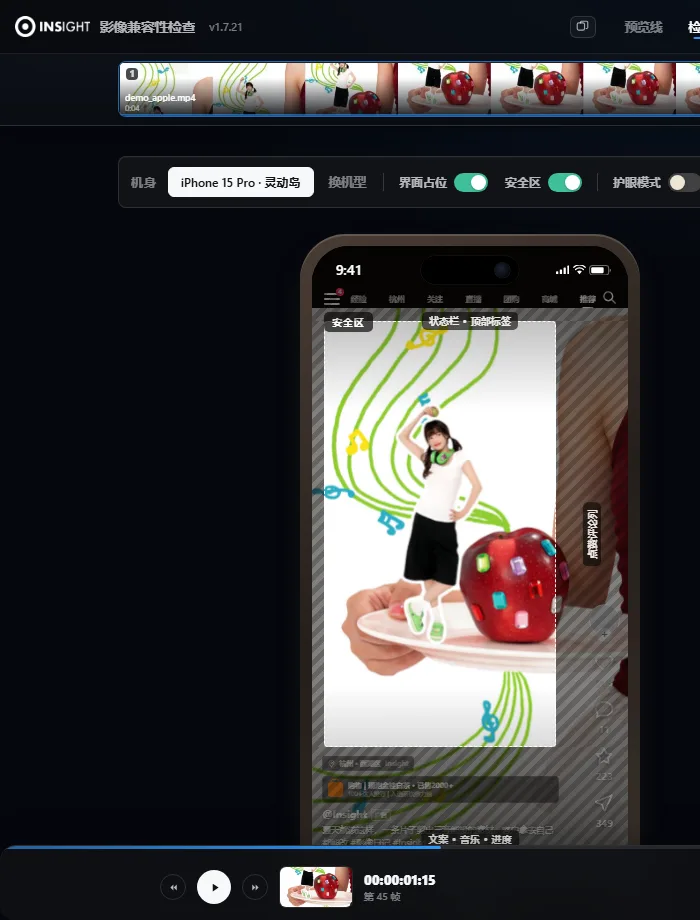
Ten platforms' interfaces and overlaps in one pass, with a verdict under each screen: intact, edges only, or cropped by how much.
Douyin, WeChat Channels, Kuaishou, Xiaohongshu, Moments, Official Accounts, Taobao, JD, Weibo, Bilibili — every platform crops, scales and covers the frame differently. INSIGHT FitCheck puts the finished cut inside the real interfaces of all ten, so crushed subtitles, cropped subjects and off-safe-area text are visible before delivery.

Drop in a cut → turn on the safe area → mark one note → export the report. What plays below is the real interface, auto-played — nothing here is a drawn mock-up.
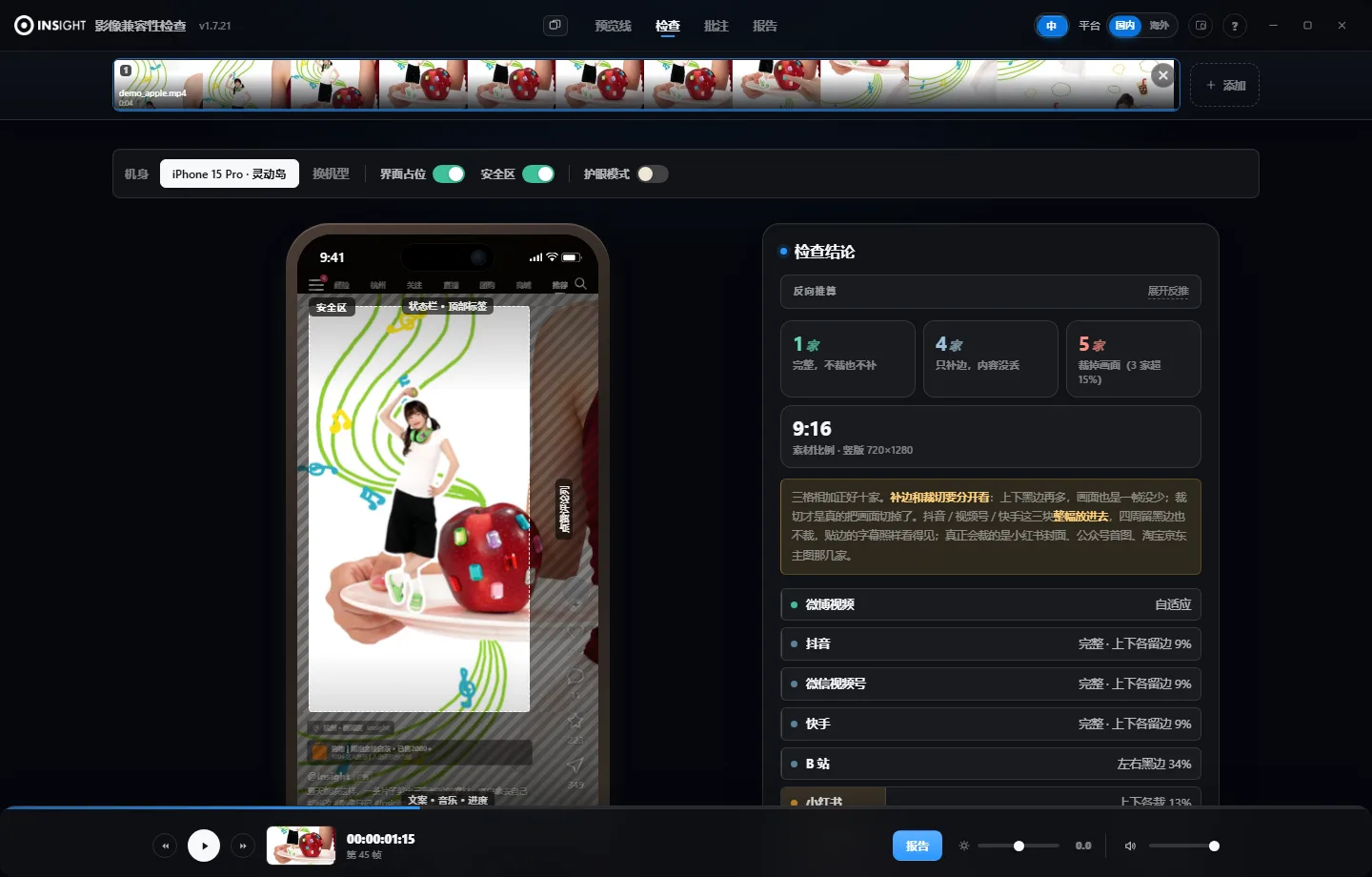
No need to memorise each platform's rules. What they look like and what they cover is laid straight onto the frame.
Drag it into the browser or the client. No sign-up, no upload wait. The footage stays on your own machine.
Shell, dynamic island, button column, caption area — all placed where they really sit. The dimmed parts are the ones that get covered.
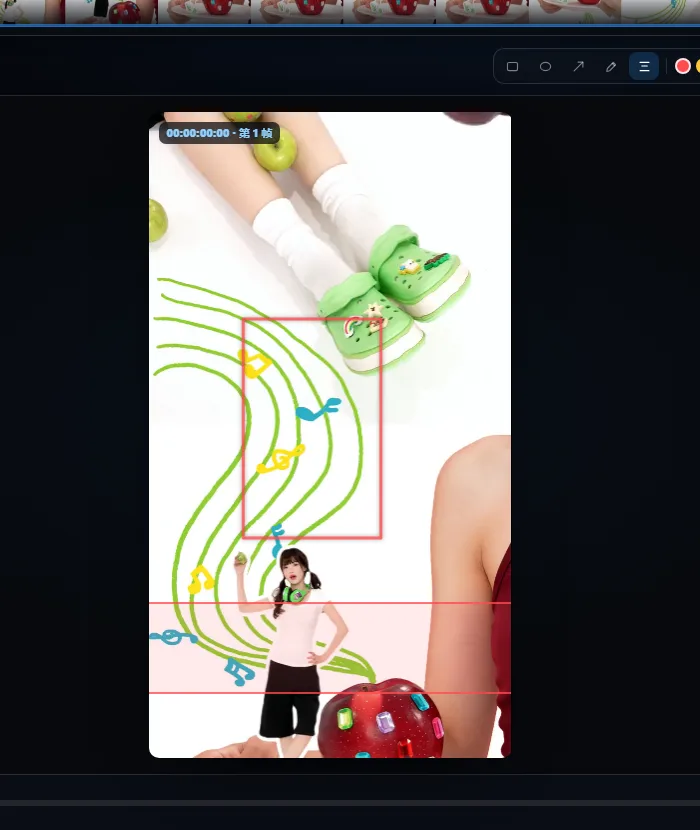
Boxes, arrows, subtitle bands — mark the problem on the exact frame, then export one annotated image and send it out.
Douyin, WeChat Channels and Kuaishou shells with their dynamic islands; Xiaohongshu, Moments, Official Accounts, Taobao, JD and Weibo cards; the Bilibili player — pre-rendered from each platform's own screenshots, not hand-drawn mock-ups.
The dashed box is the range the platform will not cover; the four dimmed edges are what the interface eats. No rules to memorise — read the colours.
Pen, rectangle, circle, arrow, subtitle band. The band runs across the full frame — built for checking whether subtitles get pressed by the interface.
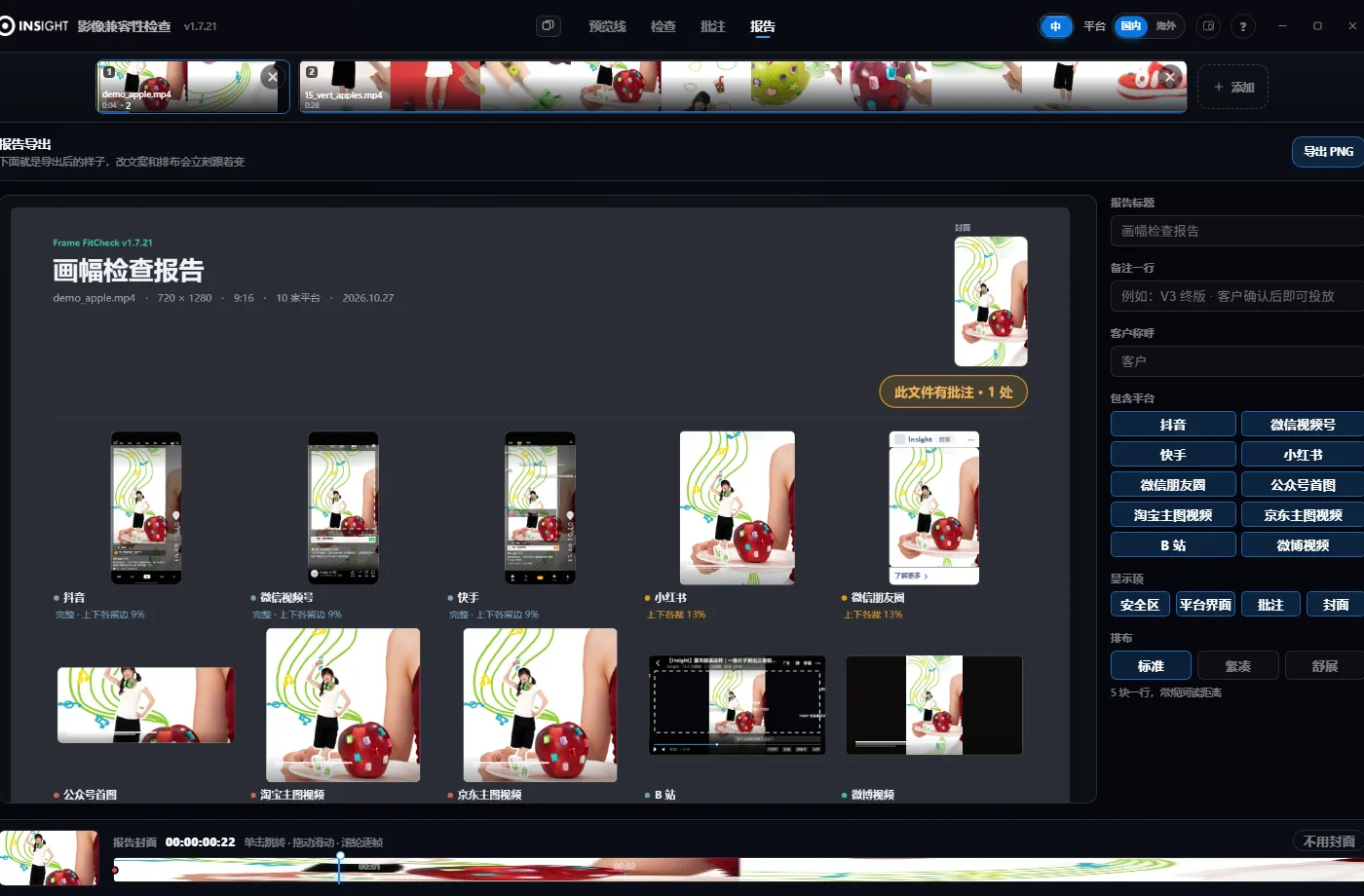
Current frame + platform interface + safe area + notes, merged into one image. Title, memo and client name are editable; the cover can be switched off.
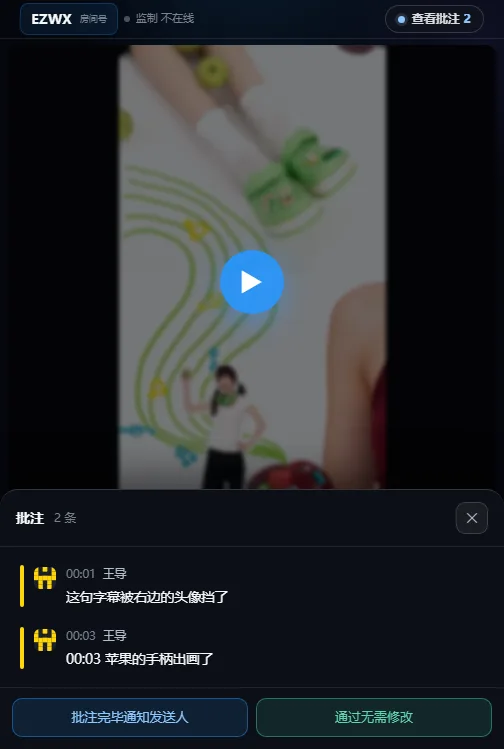
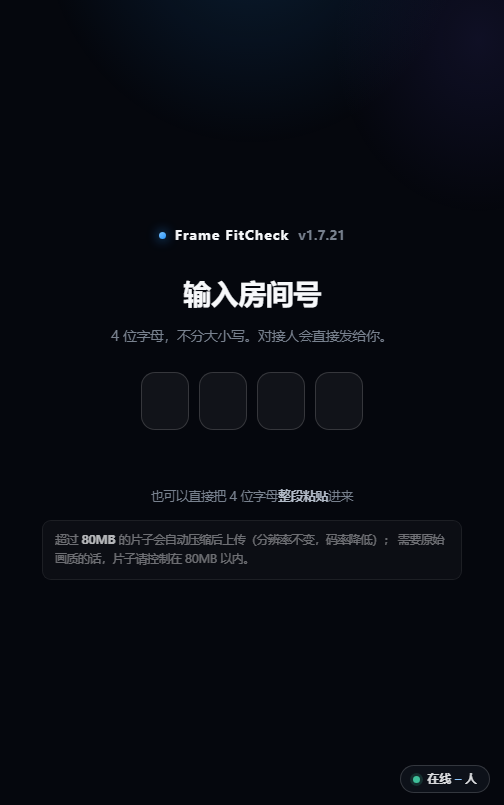
A four-character code lets the client watch, draw and write in a phone browser with nothing installed. Whatever they mark lands on your side in real time.
Frame analysis runs on your machine and the result stays there too. Unreleased cuts can go in with peace of mind.
It exists for one very concrete scene: the cut goes over, and the client types
“around the third second, that bit” in WeChat. Both sides go back and forth and still fail to land on the same frame.
Now a four-character code opens a player in their phone browser: they can scrub, draw a box, write a note,
and it stops on the exact frame. When they hit “notes done, notify sender”, a sound and a notification reach you at once.
One cut goes in; check, notes, version compare and report all finish in the same window.
Ten platforms' interfaces and overlaps in one pass, with a verdict under each screen: intact, edges only, or cropped by how much.
Mark the frame that is wrong, on that frame. Pen, rectangle, circle, arrow, subtitle band — notes stay attached to the asset and survive version switches.
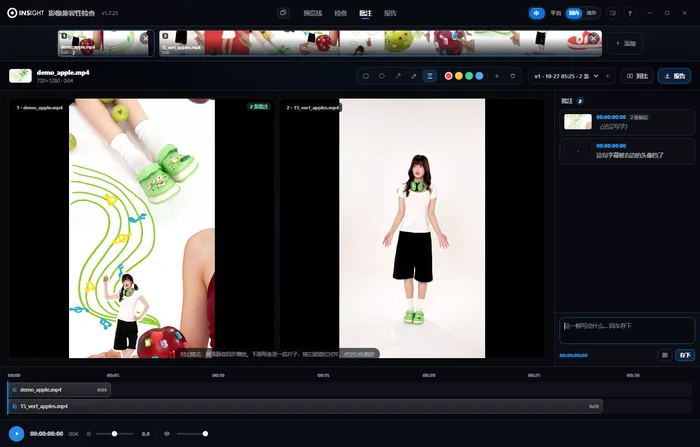
Several versions of one cut side by side, one timeline, one action. When the client changes a version, no folder digging.
Current frame + platform interface + safe area + notes into one PNG. Title, memo, client name are editable and paste straight into WeChat or email.
| Capability | Web | Client v2.9.25 |
|---|---|---|
| Ten-platform frame check | Yes | Yes |
| Safe area and overlap | Yes | Yes |
| Annotation tools | 6 | 5 |
| Export annotated image | Yes | Yes |
| Media queue · ten at a time | — | Yes |
| Multi-cut compare | — | Yes |
| Online notes · 4-char code | — | beta |
| Window duplicates · parallel work | — | Yes |
| Install requirement | Nothing | Windows |
The web version adds the crosshair and the vertical subtitle band (portrait cuts get covered on the sides); the client adds the circle.
Checking is, at heart, decoding one frame and measuring where the pixels land. That needs no network and hands the material to nobody.
So it was built as fully local from the start: frame analysis runs on your machine, and the result stays on your machine.
Online notes are the only feature that leaves the machine, and that is a trade we made deliberately: one compressed proxy goes out
(80MB by default, resolution untouched, bitrate lowered only), deleted about three hours after the session ends.
The original never leaves your machine, at any point.
Install the client once, and every cut after that gets a pass.
For one quick check, the web version opens straight away.